

Ask Crosby to enable DMs for your organization before you use them.
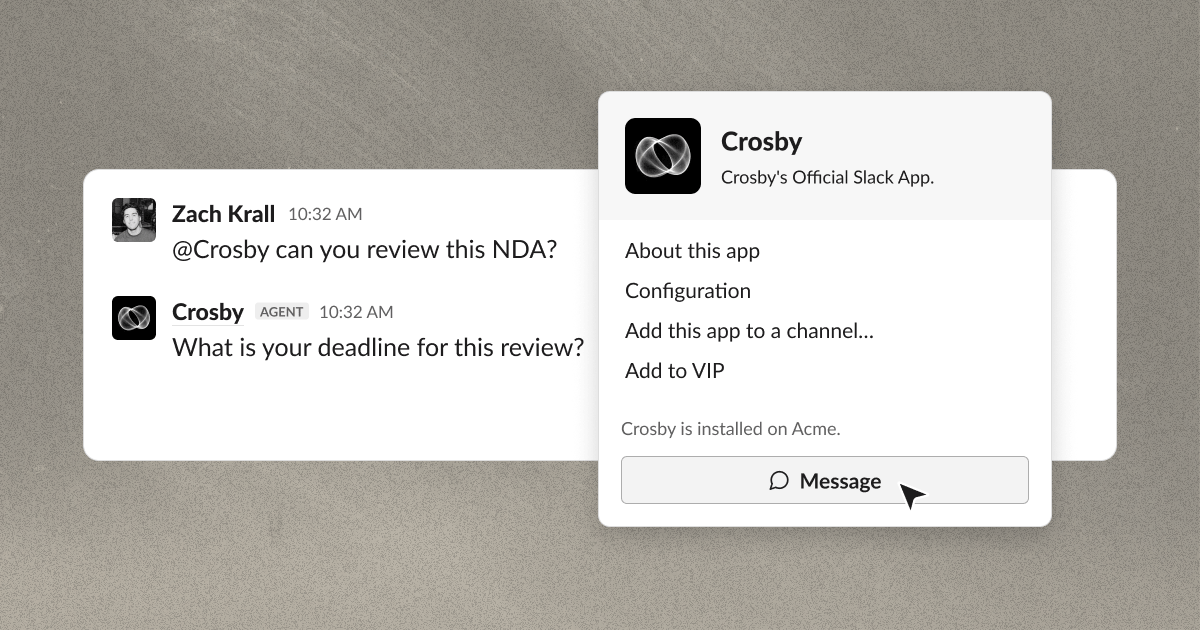
Before enabling DMs
DM access applies to the whole organization. Crosby does not enable it for selected users. Teammates cannot see your DMs in the shared channel. If they need to see the conversation, use the shared thread. Keep an existing negotiation in its original thread.Start a conversation
1
Ask Crosby to enable DMs
Contact Crosby to request access for your organization. If you need access for selected users only, discuss that requirement with Crosby.
2
Open the Crosby app in Slack
After Crosby enables DMs, hover over the agent’s name in a channel conversation. Select Message in the profile card to open a DM.Make sure that you select the Crosby app, rather than a user account with a similar name. If you cannot find the app, ask us.
3
Send your request
Explain what you need and attach the document. Name the other company in the deal.Add the business details that the team needs. If you have a deadline, include the date, time, and time zone.
4
Reply in the same thread
Keep answers, questions, and later documents in the thread for that request. The agent can read only the messages in that thread.